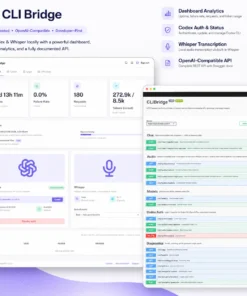
CLIBridge
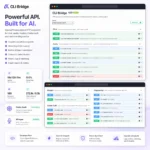
HTTP gateway that turns the OpenAI Codex CLI or Anthropic Claude Code CLI into a standard OpenAI-compatible API — now with a 100% local, self-hosted Whisper transcription endpoint too.
Use your own ChatGPT Plus or Claude Pro subscription. CLIBridge handles authentication, streaming, image inputs, audio transcription, rate limiting, health monitoring, and SaaS-based activation.
Audio sent to POST /v1/audio/transcriptions is transcribed entirely inside the container by a bundled whisper.cpp — it is never sent to OpenAI, Anthropic, or any other external service.
Source / issues: https://github.com/buildtheguild/cli-bridge
Tags
| Tag | CLI backends | Notes |
|---|---|---|
latest, 2.2.2 |
Codex + Claude | Includes whisper.cpp + baked-in Whisper model |
claude, 2.2.2-claude |
Claude only | Includes whisper.cpp + baked-in Whisper model |
codex, 2.2.2-codex |
Codex only | Includes whisper.cpp + baked-in Whisper model |
As of 2.0.0, every tag also bundles whisper.cpp and a baked-in Whisper model (base by default), which adds roughly the size of that model (~150 MB for base) on top of prior image sizes. As of 2.1.0, other models (tiny/small/medium/large-v3-turbo/large-v3) can be downloaded and switched to entirely from the dashboard or API — no rebuild needed. See “Audio transcription” below.
Use a versioned tag in production.
Full image and
BACKEND: Thelatest/ full image has both CLIs pre-installed but still routes all traffic through a single backend selected at runtime viaBACKEND=codexorBACKEND=claude. There is no simultaneous dual-backend routing — the full image is a build-time convenience so you can switch providers without rebuilding the image.
Requirements
- Docker
- A valid CLIBridge subscription
- A CLI account for the backend you want to use
Quick start
1. Create .env
Pick the backend you want to use.
Codex:
BRIDGE_TOKEN=your-long-random-secret-here
BACKEND=codex
Claude:
BRIDGE_TOKEN=your-long-random-secret-here
BACKEND=claude
2. Create docker-compose.yml
If your .env was copied from a Windows host, it may contain a Windows binary path (e.g. CODEX_BIN=C:\Users\you\AppData\Roaming\npm\codex.cmd). The environment: block below overrides that back to the in-container binary name — environment: always wins over env_file for the same key, so the rest of .env is unaffected.
Codex:
services:
cli-bridge:
image: thebuildguild/cli-bridge:2.2.2-codex
ports:
- "3900:3900"
env_file:
- .env
environment:
PORT: 3900
BACKEND: codex
CODEX_BIN: codex
API_DOCS_SERVERS: http://localhost:3900,https://your.domain.com
volumes:
- cli_data:/data
restart: unless-stopped
volumes:
cli_data:
Claude:
services:
cli-bridge:
image: thebuildguild/cli-bridge:2.2.2-claude
ports:
- "3900:3900"
env_file:
- .env
environment:
PORT: 3900
BACKEND: claude
CLAUDE_BIN: claude
API_DOCS_SERVERS: http://localhost:3900,https://your.domain.com
volumes:
- cli_data:/data
restart: unless-stopped
volumes:
cli_data:
Combined (both CLIs installed, pick one backend at runtime):
services:
cli-bridge:
image: thebuildguild/cli-bridge:2.2.2
ports:
- "3900:3900"
env_file:
- .env
environment:
PORT: 3900
BACKEND: codex # or claude — switch anytime without rebuilding
CODEX_BIN: codex
CLAUDE_BIN: claude
API_DOCS_SERVERS: http://localhost:3900,https://your.domain.com
volumes:
- cli_data:/data
restart: unless-stopped
volumes:
cli_data:
3. Start
docker compose pull
docker compose up -d
4. Activate
Open http://localhost:3900, click Activate, and approve the device in your browser.
5. Authenticate (one-time)
Recommended — web wizard:
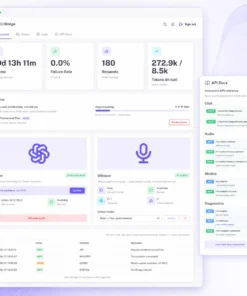
Open http://localhost:3900, go to the provider step, and click Authenticate. Complete the login in the browser tab that opens; the page detects the connection automatically — no terminal needed.
Alternative — CLI (headless/scripted setups):
Claude:
docker compose exec cli-bridge sh
claude auth login
Codex:
docker compose exec cli-bridge sh
codex login --device-auth
6. Keeping the CLI itself up to date
The dashboard checks the npm registry for newer Codex/Claude CLI releases and shows an Update available banner with an Update button on the provider’s card when one is found — no rebuild needed. Clicking it runs npm install -g <package>@latest inside the running container. It’s manual on purpose: nothing updates itself.
This patches the running container’s writable layer only. A normal docker compose up -d / docker compose restart keeps it; a docker compose up --force-recreate, an image pull, or a fresh deploy reverts to whatever CLI version is baked into the image. Rebuild and republish with a newer OPENAI_CODEX_VERSION/CLAUDE_CODE_VERSION build arg if you want the new version to stick across redeploys.
7. Audio transcription (optional, plan-gated)
POST /v1/audio/transcriptions doesn’t depend on your Codex/Claude subscription at all — model baked into the image, and nothing is sent to OpenAI, Anthropic, or any other external service. It does require your CLIBridge plan to include Whisper; if it doesn’t, both this endpoint and GET /v1/audio/status return 403, and the dashboard hides the Whisper card entirely rather than showing it locked.
curl http://localhost:3900/v1/audio/transcriptions \
-H "Authorization: Bearer $BRIDGE_TOKEN" \
-F "file=@voice-note.ogg"
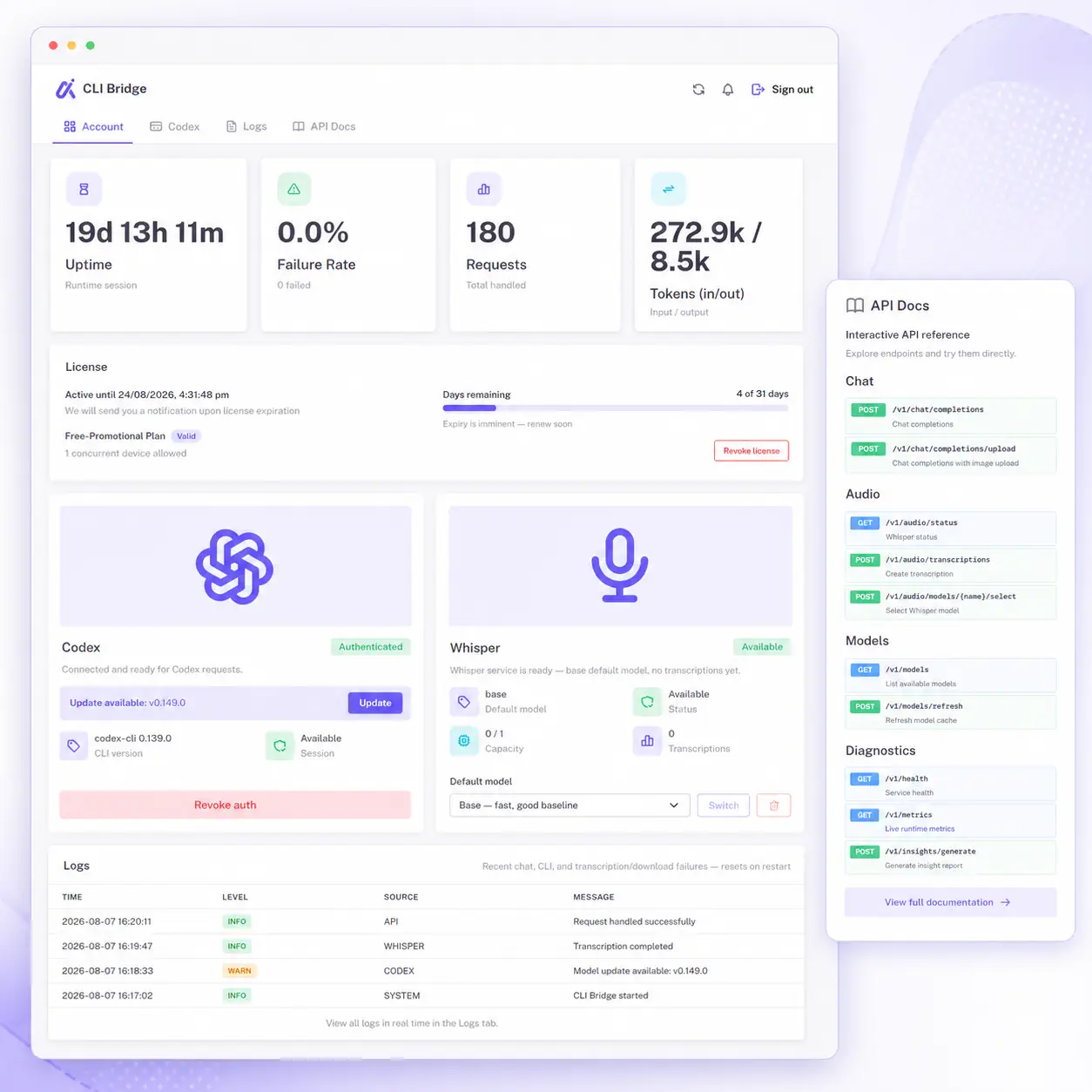
Check readiness anytime with GET /v1/audio/status (binary/model/ffmpeg health, live capacity, usage metrics — no auth-gated verbose health flag needed). If a transcription hangs or is taking too long, POST /v1/audio/cancel aborts whatever’s currently running and frees the slot immediately instead of waiting out the timeout.
Multiple models, switchable without a rebuild: GET /v1/audio/models lists a catalog (tiny/base/small/medium/large-v3-turbo/large-v3) with size and downloaded/active state. POST /v1/audio/models/:name/select switches immediately if already downloaded, or downloads it from Hugging Face straight to your persistent volume and switches automatically once done — the dashboard’s Whisper card exposes this as a dropdown with a live progress bar (and a Cancel button while downloading). DELETE /v1/audio/models/:name frees disk space. Downloaded models and the active selection survive container recreation and image updates.
Per-request override: pass model (e.g. model=large-v3-turbo) on POST /v1/audio/transcriptions to use a different already-downloaded model for just that one request, without changing the dashboard’s default. An undownloaded or unknown model name returns a clear 400 rather than silently falling back or triggering a multi-minute download mid-request.
Model selection after backend switches
As of 2.2.1, OpenAI-compatible chat requests are more forgiving when you’ve switched the bridge from one provider to the other but an upstream automation is still sending the old provider’s model id.
Example: if the bridge is now running with BACKEND=codex but your n8n workflow still sends claude-sonnet-4-6, or the bridge is running with BACKEND=claude but the caller still sends gpt-5.5, the request can fall back to the active backend’s default model instead of failing with Unknown model ....
This behavior is controlled by:
MODEL_FALLBACK_TO_DEFAULT_ON_UNKNOWN=true
It is enabled by default, including when the variable is missing from .env. Set it to false if you want strict model validation again.
When fallback happens, the successful JSON response includes a top-level model_fallback object so the caller can detect the mismatch:
{
"model": "gpt-5.5",
"model_fallback": {
"requested": "claude-sonnet-4-6",
"used": "gpt-5.5",
"reason": "unknown_model",
"message": "Requested model 'claude-sonnet-4-6' is not available for the active backend, so the server default model was used instead."
}
}
Emergency OpenRouter fallback
As of 2.2.2, the bridge can also fail over internally to OpenRouter for the main chat request path, but only if you opt in explicitly:
OPENROUTER_ENABLE_EMERGENCY_FALLBACK=true
OPENROUTER_API_KEY=...
OPENROUTER_DEFAULT_MODEL=openai/gpt-5
Optional:
OPENROUTER_FALLBACK_MODELS=anthropic/claude-sonnet-4.5,google/gemini-2.5-pro
OPENROUTER_TIMEOUT_MS=45000
This is intentionally emergency-only. It does not add any new public endpoint, and it does not activate for generic bridge errors. It only retries through OpenRouter when the active CLI request fails with a known hard condition such as:
- missing CLI authentication
- provider rate limiting (
429) - provider quota exhaustion / usage-limit failure
- provider timeout or unavailability
Successful responses include a provider_fallback object so the caller can see that OpenRouter handled the request:
{
"provider_fallback": {
"from": "codex",
"to": "openrouter",
"reason": "rate_limited",
"model": "openai/gpt-5"
}
}
This uses OpenRouter API credits, not your Codex/Claude subscription quota, so leave it disabled unless you intentionally want that emergency path.
Diagnosing failures: GET /v1/logs (and the dashboard’s Logs tab) shows recent transcription/download failures with the actual error — e.g. the exact whisper-cli timed out after ... message — instead of just a bare failure count. It also covers Codex/Claude chat and streaming request failures, so a failed request shown in the Requests/Failure Rate metrics always has a matching explanation here. The periodic insights report (see INSIGHTS_* below) is excluded from those metrics — it’s internal housekeeping, not user traffic — but its failures still land in GET /v1/logs, so a stale “not logged in” blip from before you authenticated won’t leave a permanent-looking 100% failure rate on the dashboard.
Configuration
Set these in .env (loaded via env_file) or directly under environment: in compose — environment: always wins on conflicts.
Required
BRIDGE_TOKEN— shared secret for all HTTP requests
Server
PORT— listen port (default3000; examples here use3900)CORS_ORIGINS— comma-separated allowed origins (default: allow all)ENABLE_API_DOCS— enable Swagger at/api-docs(defaulttrue)API_DOCS_SERVERS— comma-separated server URLs shown in the Swagger UI server picker, e.g.http://localhost:3900,https://your.domain.comAPI_DOCS_EXPANSION— Swagger expansion mode:full|list|noneAPP_TITLE,APP_DESCRIPTION,APP_SERVICE_NAME— branding shown in Swagger/healthHEALTH_VERBOSE_ENABLED— expandedGET /v1/health?details=trueresponse (defaultfalse)
Backend selection
BACKEND—codex(default) orclaude. Independent ofCODEX_BIN/CLAUDE_BIN:BACKENDpicks which provider’s request path is active, the*_BINvars only say which binary that path spawns — the unused one is ignored.
Codex CLI (used when BACKEND=codex)
CODEX_BIN— binary name (defaultcodex)CODEX_TIMEOUT_MS,CODEX_DEFAULT_MODEL,CODEX_ALLOWED_MODELS,CODEX_SANDBOX,CODEX_ASK_FOR_APPROVAL,CODEX_ALLOW_SEARCHCODEX_SKIP_GIT_REPO_CHECK— defaulttrue(the bridge runs as a service, not inside a project directory)OPENAI_MODELS_HIDE_CODEX— defaulttrue
Claude CLI (used when BACKEND=claude)
CLAUDE_BIN— binary name (defaultclaude)CLAUDE_DEFAULT_MODEL(defaultclaude-sonnet-4-6),CLAUDE_ALLOWED_MODELS
Emergency OpenRouter fallback (optional, disabled by default)
OPENROUTER_ENABLE_EMERGENCY_FALLBACK— enable internal emergency failover for chat requestsOPENROUTER_API_KEY— OpenRouter API keyOPENROUTER_DEFAULT_MODEL— model used for the emergency requestOPENROUTER_FALLBACK_MODELS— optional comma-separated OpenRouter fallback chainOPENROUTER_TIMEOUT_MS— timeout for the emergency OpenRouter call (default45000)OPENROUTER_HTTP_REFERER,OPENROUTER_TITLE— optional attribution headers
Audio transcription (POST /v1/audio/transcriptions, always available — independent of BACKEND)
WHISPER_MODEL_PATH— path to the.binggml model (default/app/models/ggml-base.bin, matches the image’s baked-inWHISPER_MODELbuild arg). Point at a different mounted model file to switch without rebuilding.WHISPER_LANGUAGE— default ISO-639-1 language when a request omits one (defaultauto= per-request detection). Pinning a language skips detection and can be faster/more accurate for single-language deployments.WHISPER_THREADS— pin CPU thread count per transcription job (default: auto-detected). Useful to cap CPU usage on a small/shared VPS, e.g.WHISPER_THREADS=1.WHISPER_MAX_CONCURRENT— concurrent transcription jobs allowed (default1). Requests beyond this get429.WHISPER_TRANSCRIBE_TIMEOUT_MS— timeout for the actual transcription step (default600000/ 10 min), separate fromWHISPER_TIMEOUT_MS(decode only). Raise this if larger models on slower hardware still time out.MAX_AUDIO_BYTES— max upload size in bytes (default26214400/ 25 MB, matching OpenAI’s limit)WHISPER_BIN,FFMPEG_BIN,WHISPER_TIMEOUT_MS,WHISPER_HEALTH_TIMEOUT_MS— advanced/rarely need changing; seedocs/config.md
Also supported — input/output size limits (MAX_*, SUMMARY_THRESHOLD_TOKENS), token counting (TIKTOKEN_ENCODING, IMAGE_TOKEN_*), the insights scheduler (INSIGHTS_*), SMTP delivery for insight reports and CLI update alerts (SMTP_*, INSIGHTS_EMAIL_ENABLED, CLI_UPDATE_EMAIL_ENABLED), CLI version update checks (CLI_UPDATE_*), and watchdog self-healing (WATCHDOG_*). These are optional/advanced and safe to omit for a first deployment.
Reverse-proxy vars like
VIRTUAL_HOST,VIRTUAL_PORT,LETSENCRYPT_HOST,LETSENCRYPT_EMAILare not read by CLIBridge — they’re for annginx-proxy+letsencrypt-companionsidecar, if you run one alongside this container.
API call example
curl http://localhost:3900/v1/chat/completions \
-H "Authorization: Bearer $BRIDGE_TOKEN" \
-H "Content-Type: application/json" \
-d '{
"model": "claude-sonnet-4-6",
"messages": [{ "role": "user", "content": "Hello!" }]
}'
HTTP endpoints
All routes below require BRIDGE_TOKEN (Authorization: Bearer <token> or X-Bridge-Token: <token>) except GET /. Everything except /v1/license/* also requires an activated license.
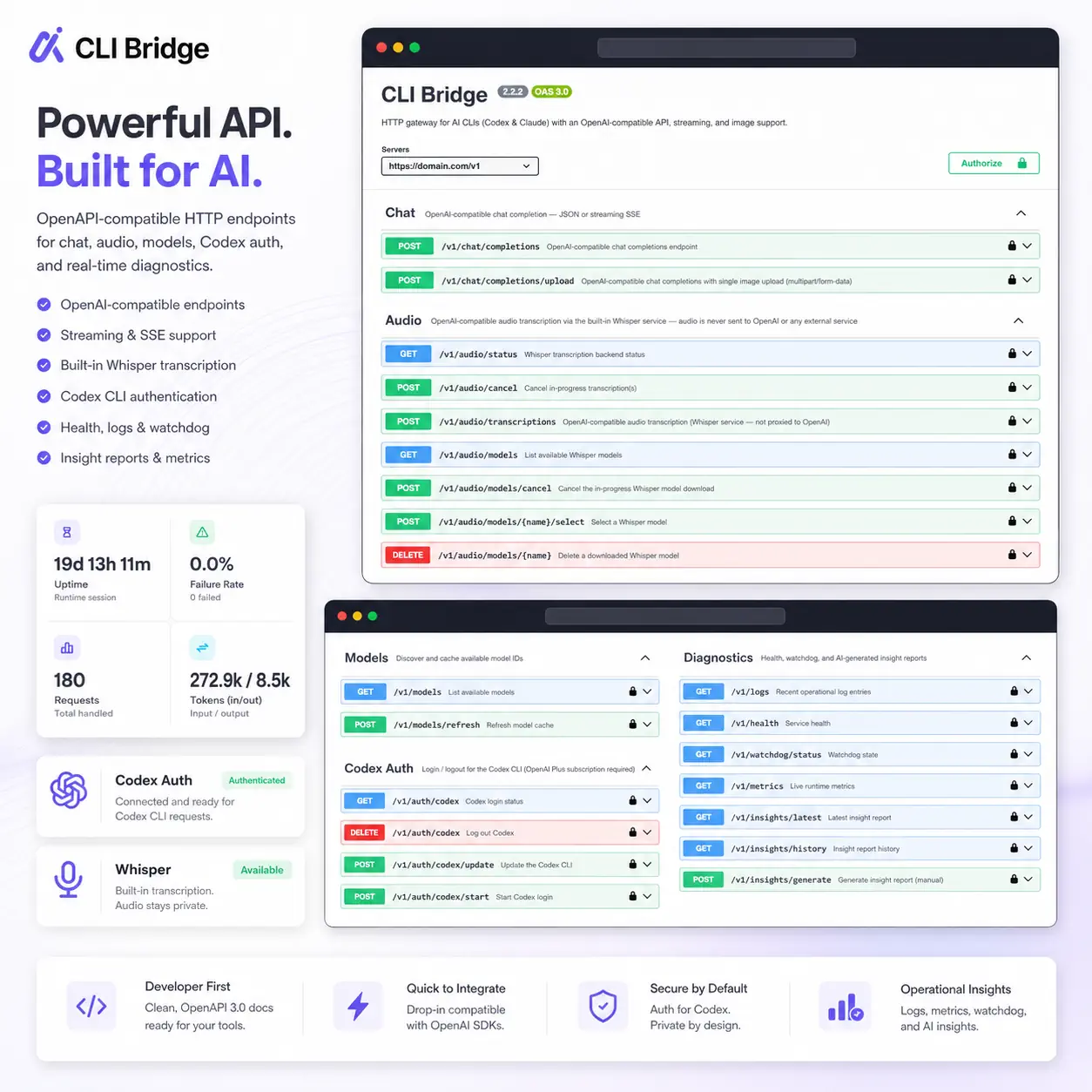
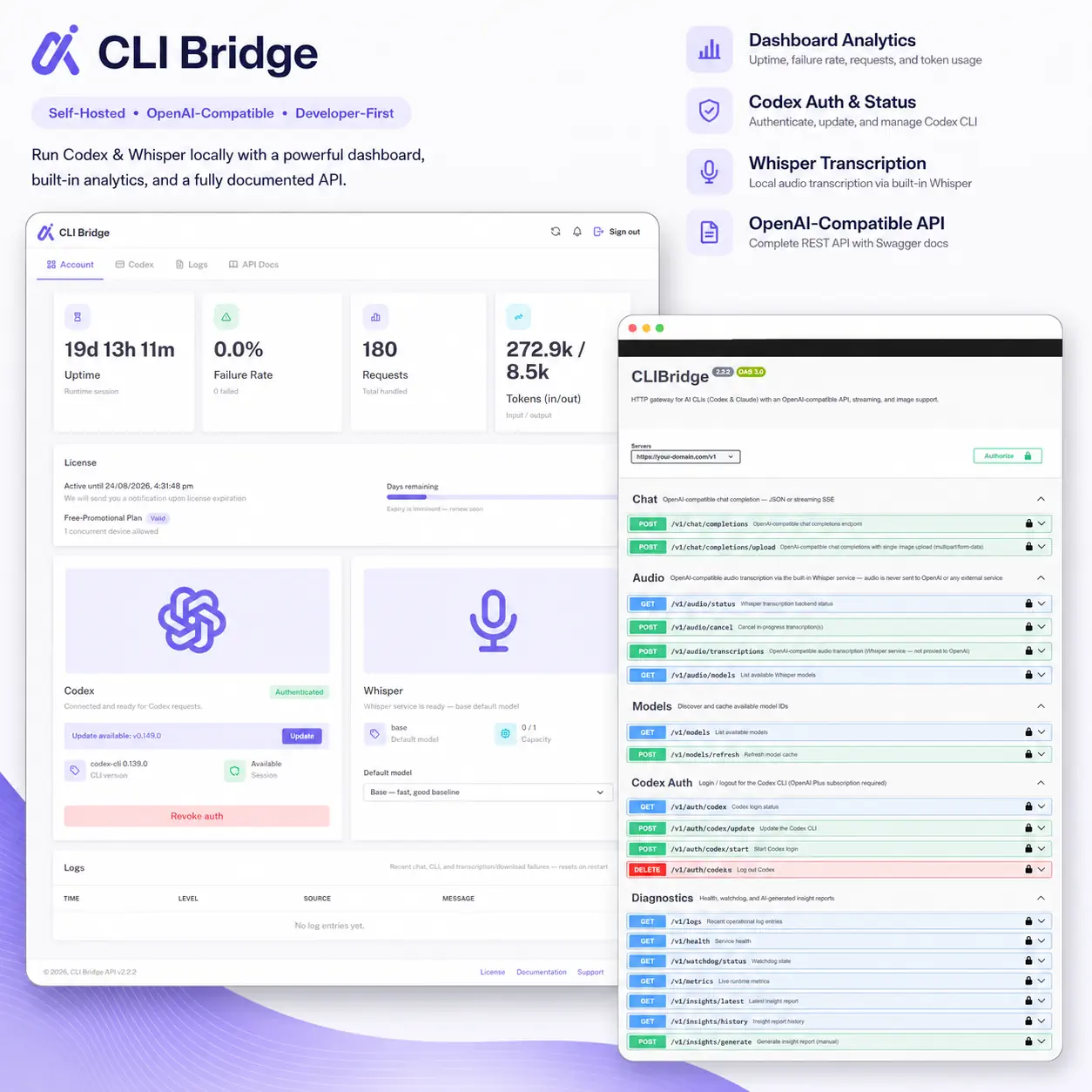
OpenAI-compatible | Method | Path | Description | |—|—|—| | GET | /v1/models | List available models | | POST | /v1/models/refresh | Probe the CLI and refresh the model cache | | POST | /v1/chat/completions | Chat completions — JSON or SSE streaming | | POST | /v1/chat/completions/upload | Chat completions with a single image upload (multipart) | | POST | /v1/audio/transcriptions | Audio transcription — 100% local whisper.cpp, never sent externally (multipart) | | POST | /v1/audio/cancel | Cancel in-progress transcription(s), freeing capacity immediately | | GET | /v1/audio/status | Whisper backend status — binary/model/ffmpeg health, capacity, usage metrics | | GET | /v1/audio/models | Whisper model catalog — downloaded/active state, live download progress | | POST | /v1/audio/models/:name/select | Switch model, downloading it first if needed | | POST | /v1/audio/models/cancel | Cancel an in-progress model download | | DELETE | /v1/audio/models/:name | Delete a downloaded model to free disk space |
CLI auth | Method | Path | Description | |—|—|—| | GET | /v1/auth/codex, /v1/auth/claude | Auth status for each backend | | POST | /v1/auth/codex/start, /v1/auth/claude/start | Start browser login | | POST | /v1/auth/claude/:id/code | Submit Claude’s verification code | | GET | /v1/auth/sessions/:id | Poll a login session’s status | | POST | /v1/auth/codex/update, /v1/auth/claude/update | Update the CLI in the running container | | DELETE | /v1/auth/codex, /v1/auth/claude | Log out / clear stored credentials |
License | Method | Path | Description | |—|—|—| | GET | /v1/license/status | Current license state | | POST | /v1/license/session/start | Start device activation | | POST | /v1/license/refresh | Force a live license check | | POST | /v1/license/revoke | Revoke the current session |
Diagnostics | Method | Path | Description | |—|—|—| | GET | /v1/health | Basic health; ?details=true for CLI/watchdog/license status | | GET | /v1/metrics | Live request/token counters | | GET | /v1/watchdog/status | Watchdog config and unhealthy-check count | | GET | /v1/logs | Recent operational log entries (chat/streaming request failures, transcription/download failures, timeouts) — resets on restart | | GET | /v1/insights/latest, /v1/insights/history | Generated insight reports | | POST | /v1/insights/generate | Trigger an out-of-schedule insight report |
Full request/response shapes: see docs/endpoints.md in the repo, or Swagger UI at /api-docs on your running instance (/v1/license/* and GET / are intentionally excluded from Swagger).
Important notes
- Auth state is stored in the Docker volume mounted at
/data - Do not use
docker compose down -vunless you intentionally want to erase activation and CLI auth state
Use 2.2.2 or newer.

Reviews
There are no reviews yet